
Choose your help desk

WHATSAPP × INTERCOM

WhatsApp conversations, inside Intercom

Connect your WhatsApp Business account to Intercom in minutes. Send approved templates, schedule campaigns, and reply from the inbox your team already works in.

No credit card required.
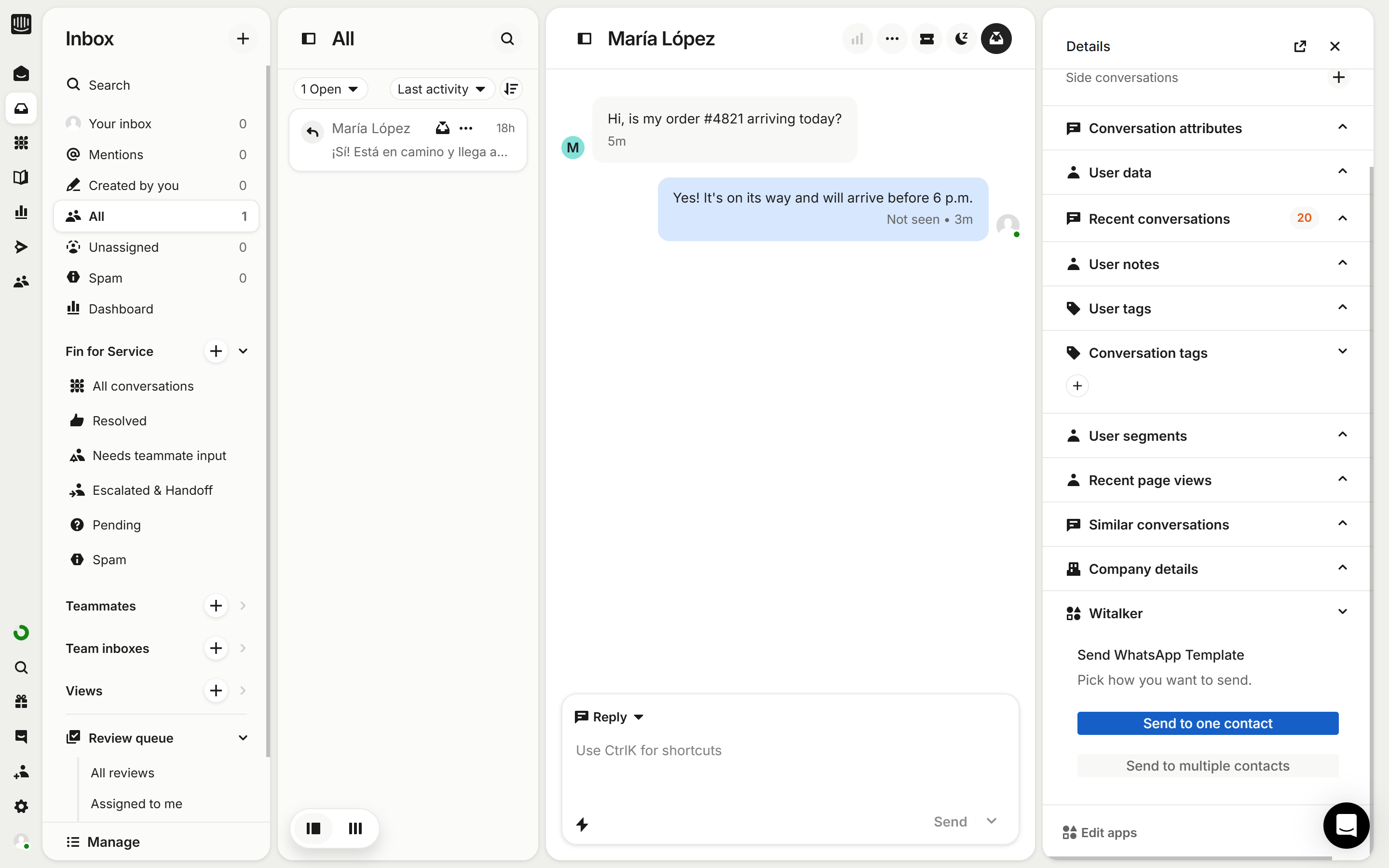
The Intercom inbox showing a WhatsApp conversation with a customer, with the Witalker panel open in the details sidebar.
A WhatsApp message arrives as an ordinary Intercom conversation. Your team replies where it already works.

WHAT YOU GET

Everything the handoff needs

WhatsApp Embedded Signup

Onboard your own WhatsApp Business account through Meta, with your numbers registered and ready to send.

Native Intercom conversations

Inbound messages open real Intercom conversations, and agent replies go back out over WhatsApp.

Per-number routing

Decide which number reaches which workspace, and which direction each route carries.

Approved templates

Your Meta-approved templates, synced and ready — including reopening a conversation past the 24-hour window.

Scheduled campaigns

Send to many recipients at once or schedule for later, with pause, resume, cancel and retry while it runs.

Delivery you can see

Per-batch counts of sent, failed and skipped, so you know what actually reached the customer.
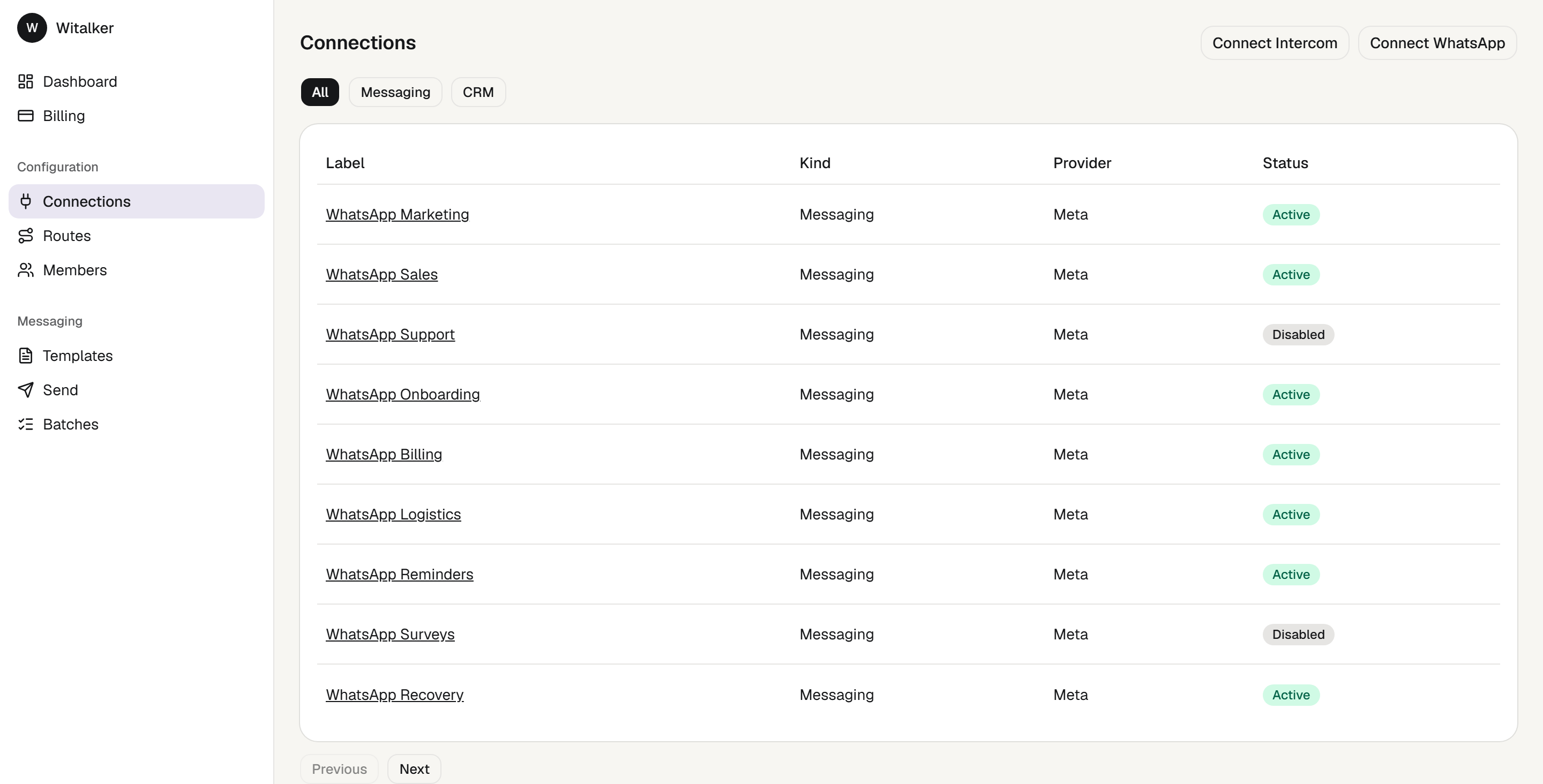
The Witalker connections screen listing two WhatsApp numbers and an Intercom workspace, each with its status.
Connect WhatsApp and Intercom through OAuth. There is no credential form, and nothing to paste.

HOW IT WORKS

Three steps to your first message

  1. 01 /

    Connect WhatsApp

    Sign in with Meta and pick the WhatsApp Business account you already use. No developer, no callback URLs to configure.

  2. 02 /

    Connect Intercom

    Authorise Intercom once. Every WhatsApp conversation lands as a normal Intercom conversation your agents already know how to answer.

  3. 03 /

    Route and send

    Point each number at the workspace that should receive it, then send approved templates one at a time or as a scheduled campaign.
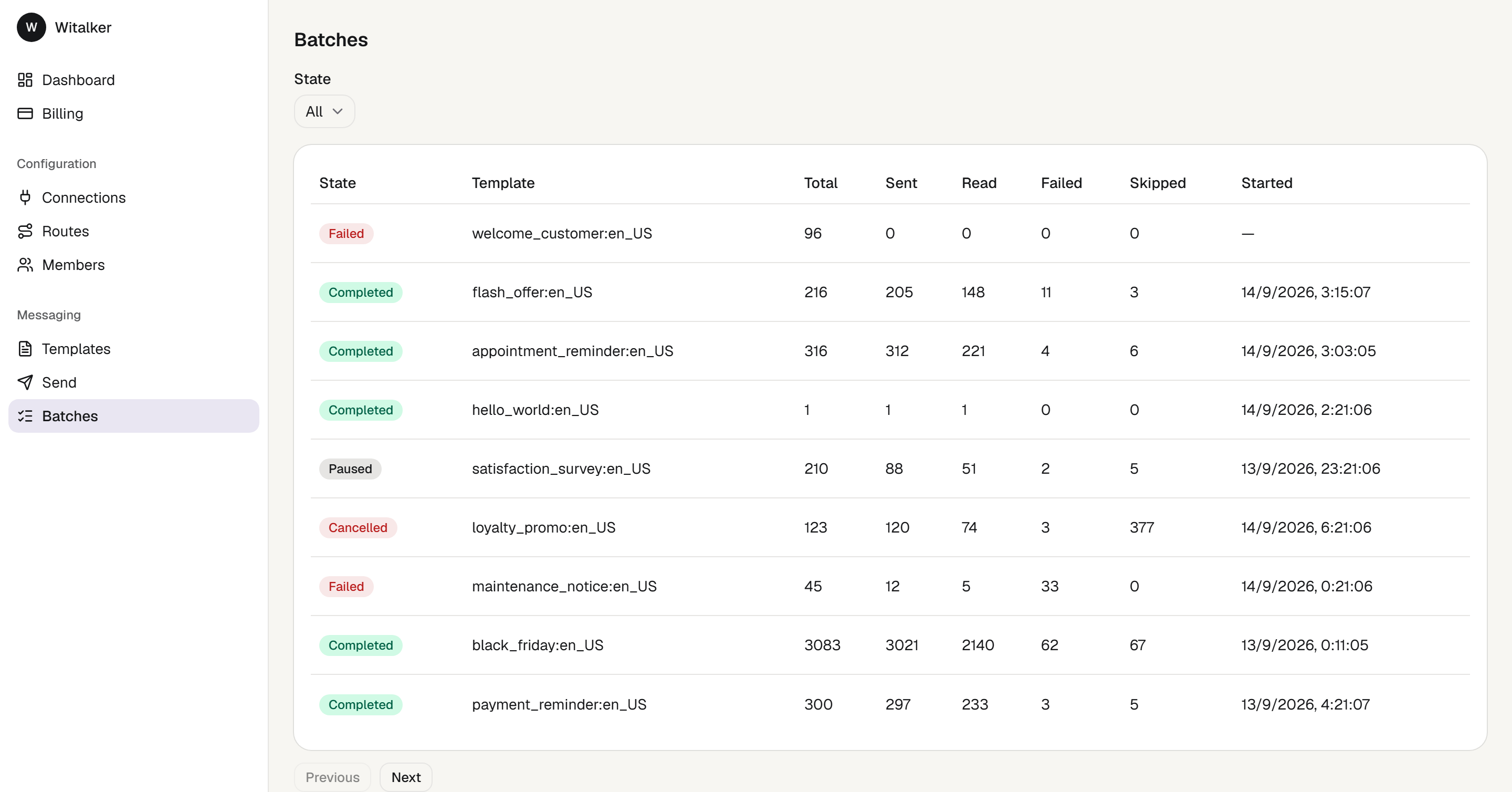
The Witalker batches screen listing template campaigns with totals for sent, failed and skipped messages.
Send from a template to thousands, then watch every batch — sent, failed and skipped.

PRICING

One plan. Pay per number.

Witalker

Start with 14 days free

$49/month

Includes one WhatsApp number

+$50 per month for each additional number

  • Unlimited Intercom conversations
  • Approved templates, synced automatically
  • Scheduled and bulk campaigns
  • Delivery statistics per campaign
Start 14 days free

What will it cost?

First number
$49

about $49 per month

An estimate. The exact amount is confirmed when you check out.

Good to know

  • The free trial covers one WhatsApp number. Add more once it becomes a paid plan.
  • No card needed to start. Without one, the trial simply ends — nothing is charged.
  • Cancel anytime from the billing portal.
  • Change how many numbers you have later, from Billing.

FAQ

Frequently asked questions

Witalker integrates natively with Intercom.

No. You connect WhatsApp through Meta and authorise Intercom from the console — no custom development and no technical knowledge required.

Yes. Witalker reopens conversations outside WhatsApp’s 24-hour window using templates approved by WhatsApp Business.

Yes. Every campaign reports how many messages were sent, failed and skipped, so you can track volume and delivery.

Each WhatsApp sender number you keep active. Disabling a number frees its seat, so you can activate a different number in its place without buying more — but your bill follows the number of seats you bought, and lowering that is done in the billing portal.

Yes. You connect your own account through Meta, so your numbers and your approved templates stay yours.

Bring WhatsApp into the inbox your team already uses.

Start 14 days free